Wellness · Singtel & AIA · 2019

StepUp.

A wellness app that rewarded users with data for walking. Singtel's first non-telco service on the MySingtel App. 250,000 sign-ups in 3 months with a 97% onboarding rate. I was the UX designer responsible for prototypes, onboarding flows, micro-interactions, and visual development.

Role UX Designer
Client Singtel & AIA
Duration 3 months
Team Design Director, Product Director, UX Designer (Issac)
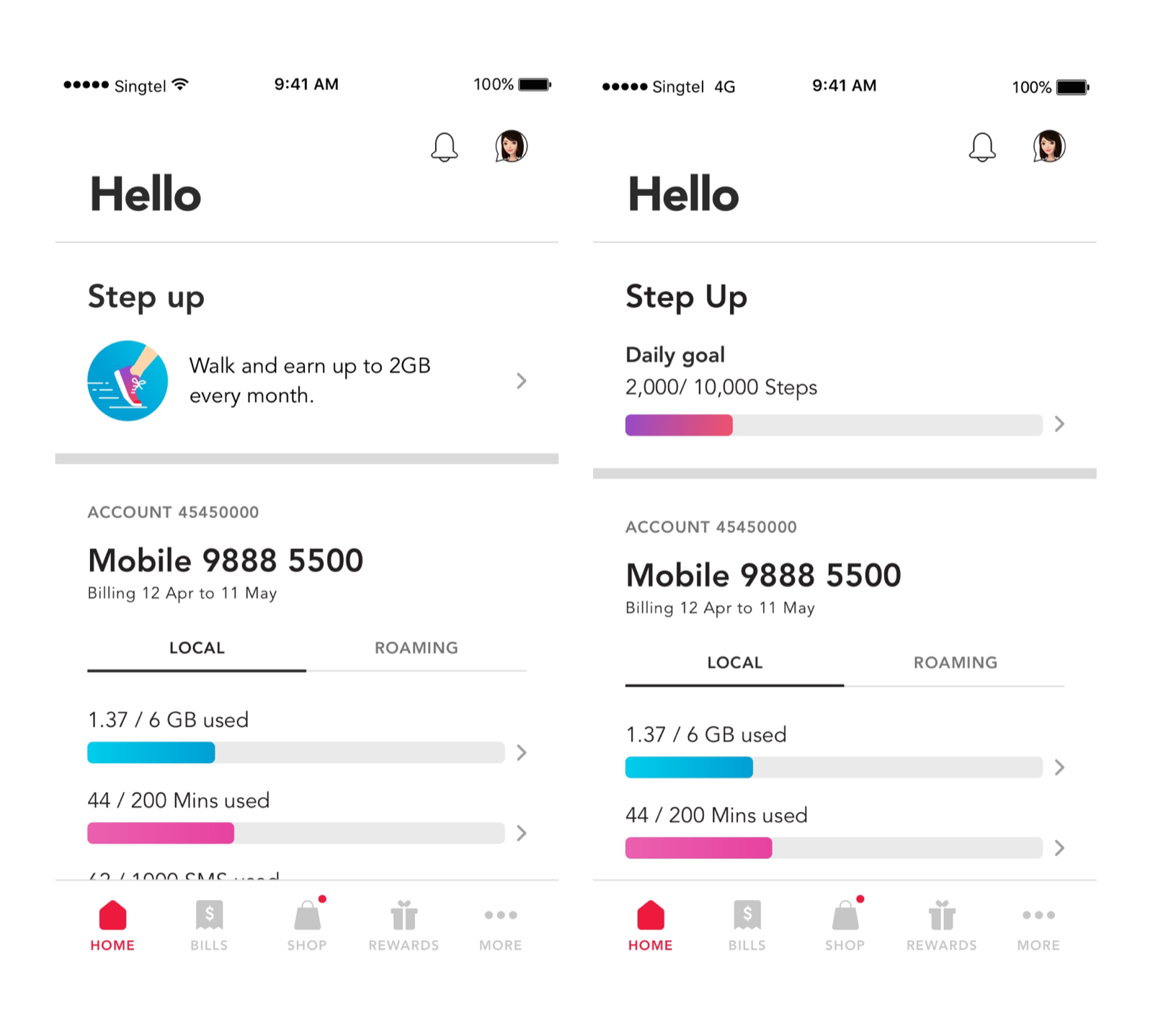
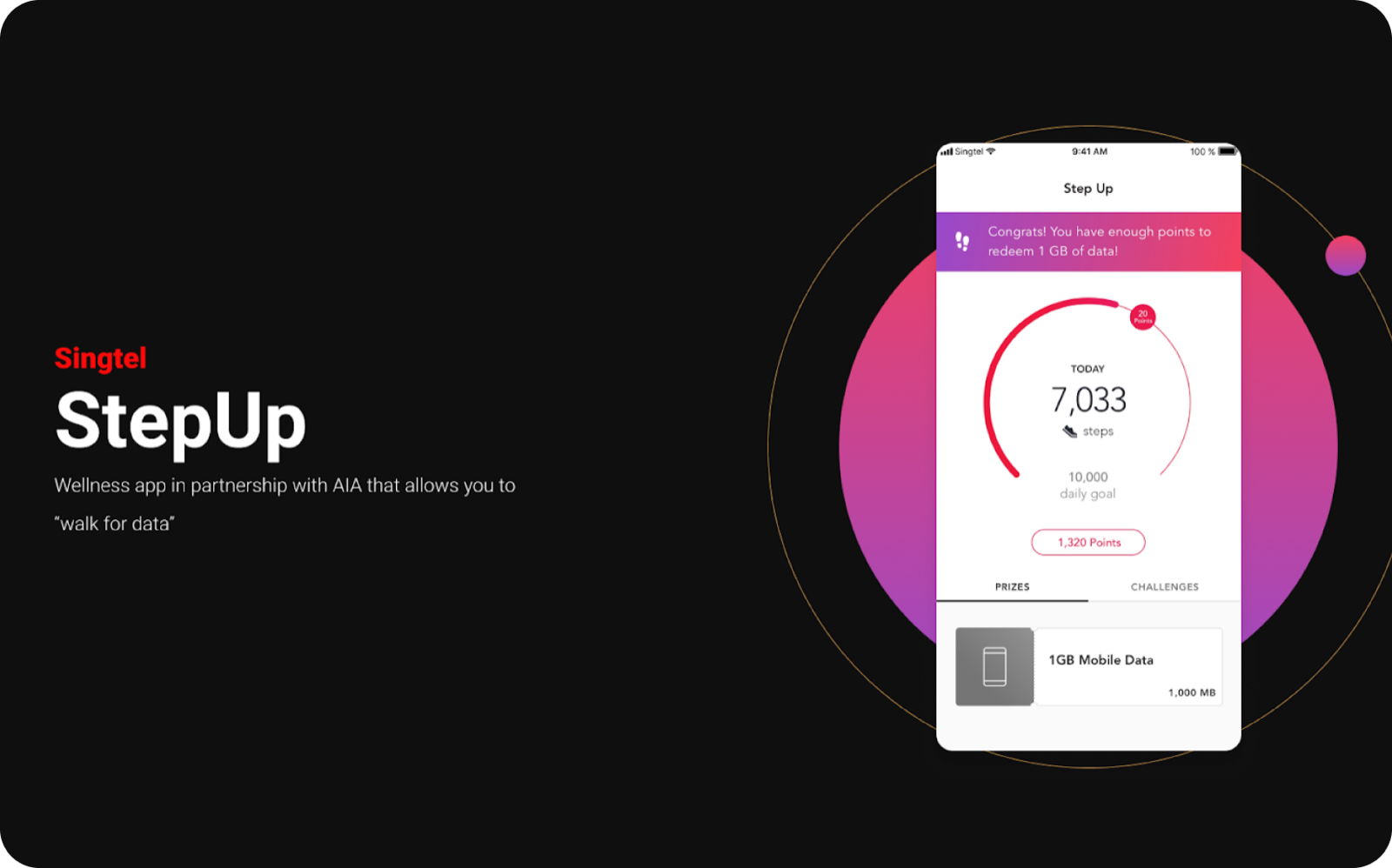
StepUp app interface showing walk-for-data wellness dashboard
Fig. 01 · StepUp, walk for data, integrated within the MySingtel App
The Brief
01

Walk for data.

StepUp was a wellness app created as part of Singtel's digital transformation to expand beyond traditional telco experiences. Partnering with AIA, we rewarded users with mobile data for walking, integrating a completely new service within the existing MySingtel App. I was the UX designer on a team led by our Design Director and Product Director.

How do you introduce a new non-telco service on an existing telco app, while collecting user data with minimal friction and teaching new concepts without overwhelming onboarding screens?
250K
Sign-ups in 3 months
97%
Onboarding completion
200
Users surveyed in discovery
1st
Non-telco service on MySingtel
The Problem
02

A new service in an old app.

We needed to introduce something entirely new, a wellness product, inside an app people used for telco billing and data top-ups. Users didn't expect it, and the AIA partnership required us to collect personal data (name, gender, DOB) during onboarding.

How might we introduce a non-telco wellness service within the existing MySingtel App, while collecting personal data for the AIA partnership, onboarding new concepts, and maintaining a frictionless experience?
Pain № 01
critical

Service integration.

How to introduce a wellness service within an existing telco app without disrupting current user flows or feeling like an intrusion.

Impact adoption
HMW

How might we make a non-telco service feel native within the MySingtel App?

Pain № 02
high

Data collection friction.

AIA required personal data (name, gender, DOB) during onboarding. Collecting this without making users feel like they're filling out a form was essential.

Impact completion rate
HMW

How might we collect personal data without it feeling like a form?

Pain № 03
high

Concept introduction.

Users needed to learn new concepts: step tracking, data rewards, ticket redemption. No lengthy tutorials or text-heavy onboarding screens.

Impact comprehension
HMW

How might we teach a reward system through doing rather than explaining?

Pain № 04
medium

Brand consistency.

StepUp needed to feel like MySingtel: Gratifying, Reliable, Open, Community. While being distinct enough to register as something new and valuable.

Impact brand
HMW

How might we create a distinct wellness identity within an existing brand system?

The Process
03

Research, test, simplify.

We surveyed 200 users on rewards, walking frequency, and competitor app familiarity. We ran three sign-up concepts in parallel, prototyped an interactive weight scale in HTML on CodePen, and killed it when it proved slower than a text field. The best design was often the simplest.

Discovery

Understanding user motivation.

Insights from usability tests guided user motivation in our app. 200 users were surveyed on rewards, walking frequency for rewards, and competitor app familiarity. Free data was an attractive reward, and users aged 40 to 60 were familiar with wellness apps. A milestone checker was suggested for the reward flow, and the onboarding flow was improved by collecting user data without profiling.

I organised a brainstorming session with the Design Director and the Product Director where we identified the most important features that needed to be included in the onboarding flow. We determined that onboarding needed to collect name, gender, and DOB, but profiling was moved to the Challenges flow to reduce friction.

Foundation

MySingtel design principles.

01

Gratifying

Small pleasures, making everyday better, making you smile.

02

Reliable

Anywhere anytime, consistent, accessible, dependable.

03

Open

All walks of life, inclusive, airy, approachable.

04

Community

Diversity, harmony, Singaporean, teamwork.

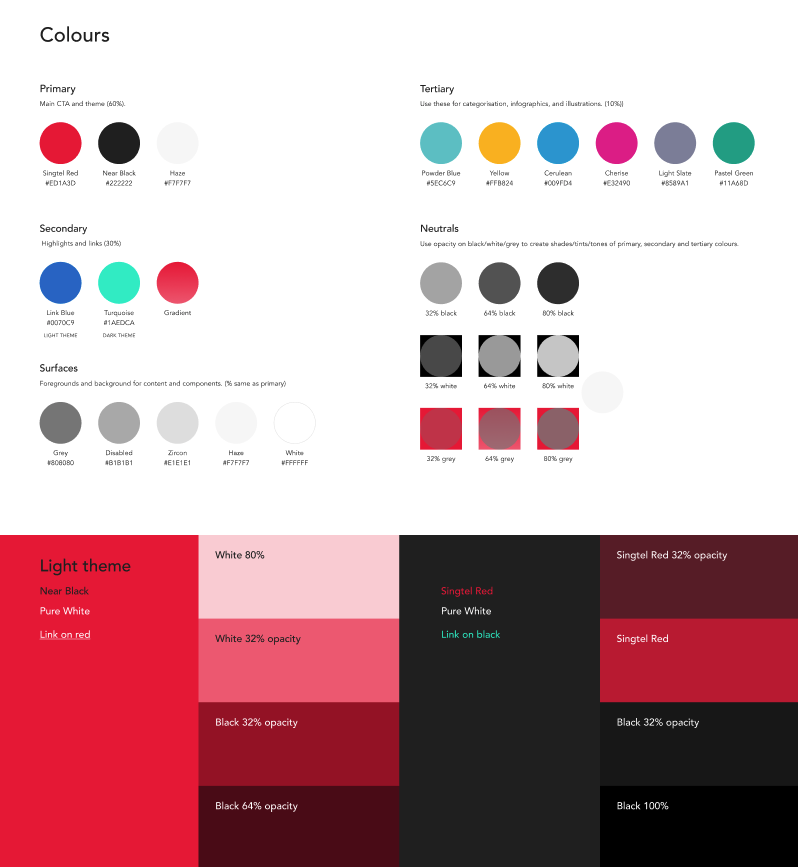
MySingtel App color guide used as the foundation for StepUp
Fig. 02 · MSTA color guide
From mechanics → experience

Three design strategies.

01
Onboarding · Learn by doing

Teach through action.

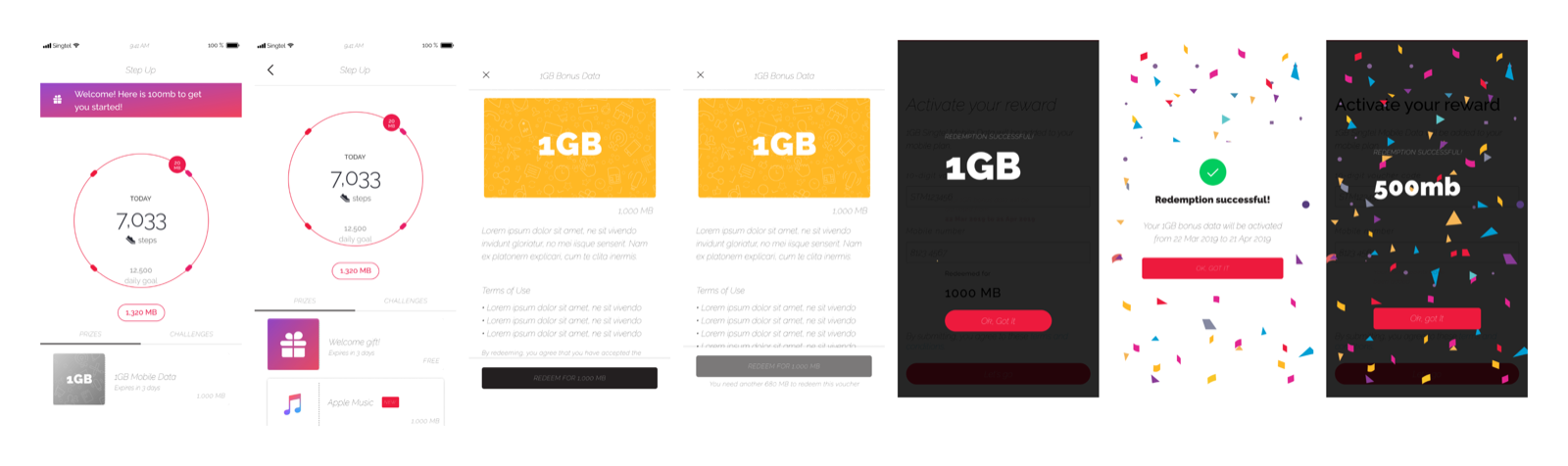
Instead of explaining the reward system, we built redemption into the onboarding flow itself. Users received a 1GB data voucher upon completion, learning the claim flow by actually doing it.

02
Data collection · Reduce friction

Don't make it feel like a form.

Three sign-up concepts tested: cute/playful, brand-focused, and task-focused. The task-focused approach won. Clean, purposeful, and fitting the brand. Illustrations and interactions replaced clinical form fields.

03
Entry point · Show value early

Progress over promotion.

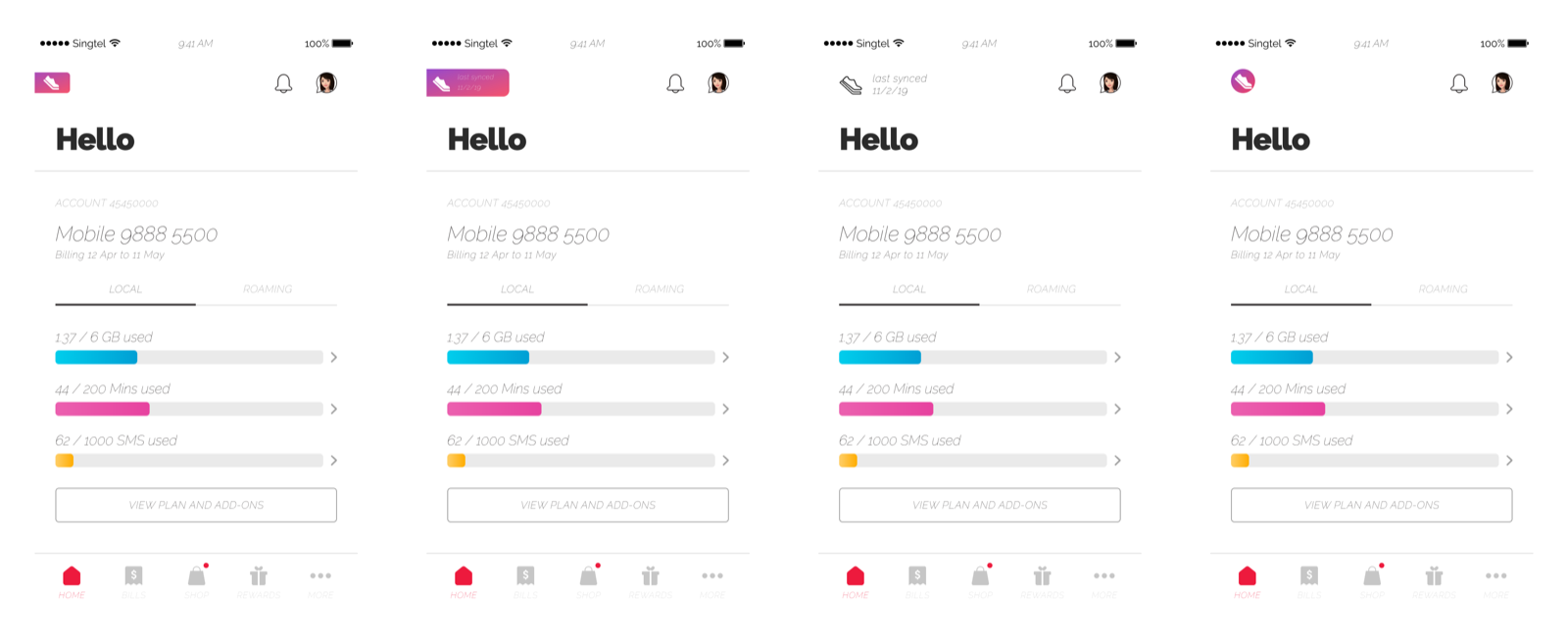
Initial banner design minimised features. Testing revealed users needed to see their step progress to feel the app was gratifying. We prioritised information over space, showing collection data upfront.

Feature 01 · Entry Point

Show progress, not promotion.

StepUp incentivised users to return to the MySingtel App frequently for point collection towards data and other benefits. The entry point design needed to avoid intrusiveness or competition with existing services, while still communicating value upfront.

  • AInitial concept failed. The initial approach was to introduce as little of the feature as possible. This did not work, as users needed to see their progress to feel the experience was gratifying.
  • BProgress-first redesign. Users needed to know what the service was, and the design needed to inform them about how many steps they had collected. This aligned with the Reliable and Open design principles.
  • CInformation over space. We decided it was more important to show step information upfront than to minimise the space the banner occupied. Progress visibility drove return visits.
Insight Users preferred seeing their progress over a clean, minimal banner. Information was more valuable than space. The banner evolved based on user state: new users saw the onboarding CTA, returning users saw their step count.
Initial minimal banner concept for StepUp
Fig. 04 · Initial banner, minimal, but users couldn't see the value
Final progress-focused banner showing step count
Fig. 05 · Final banner, progress-first, immediately gratifying
Feature 02 · Sign-Up Experience

Data collection without the form.

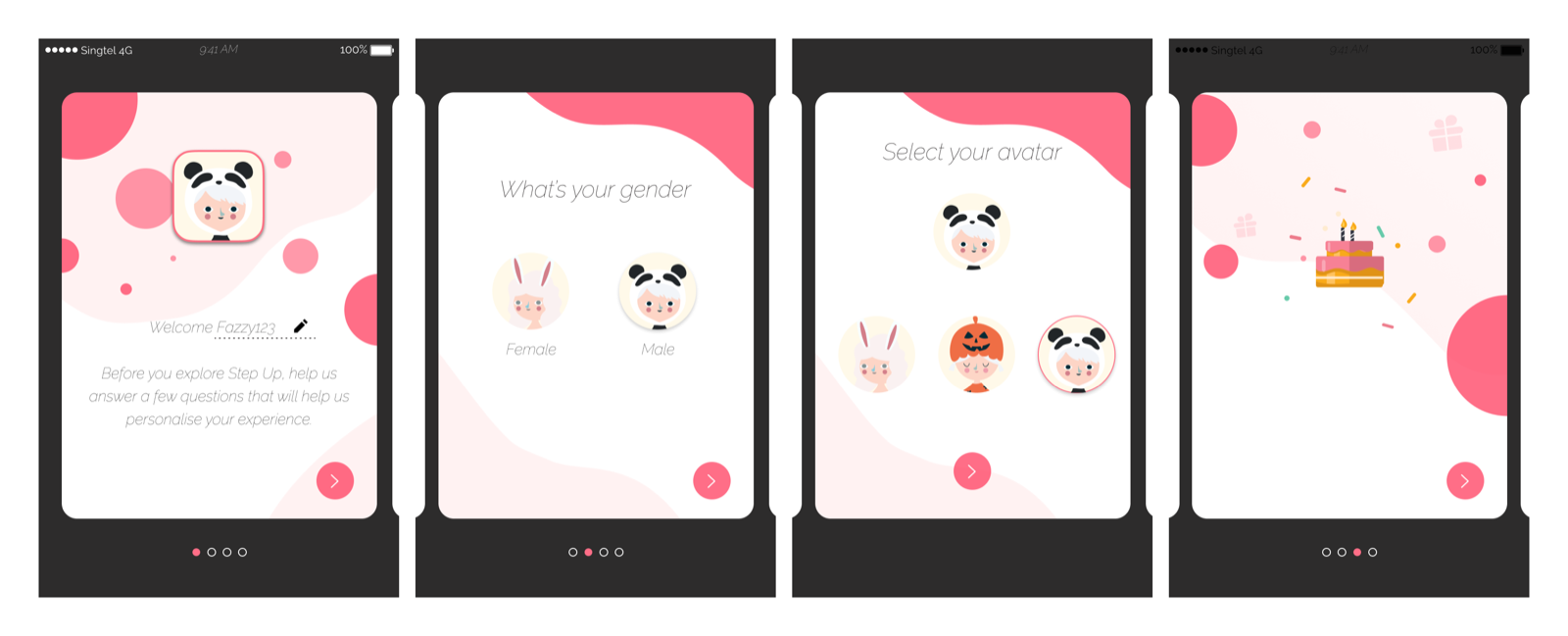
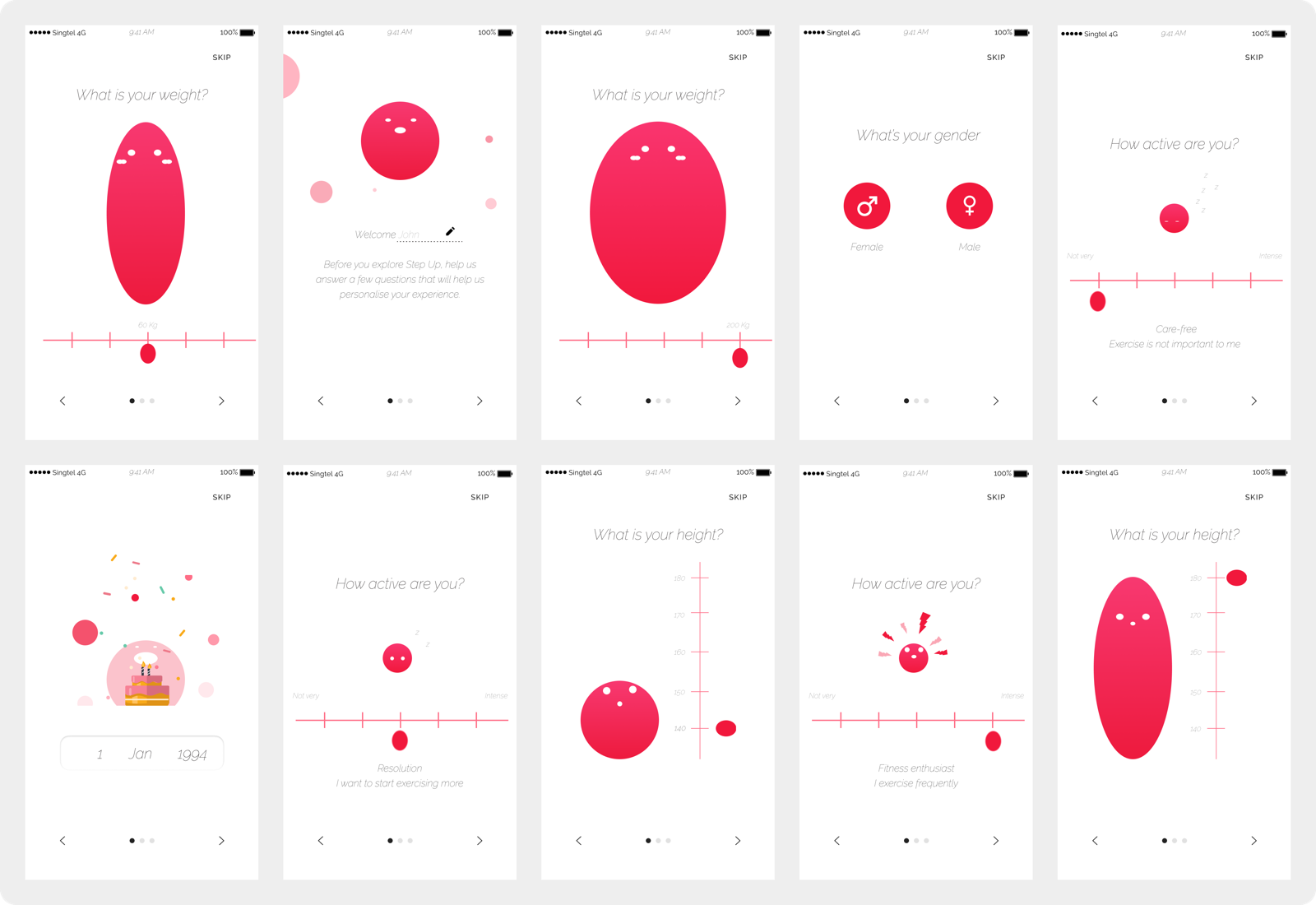
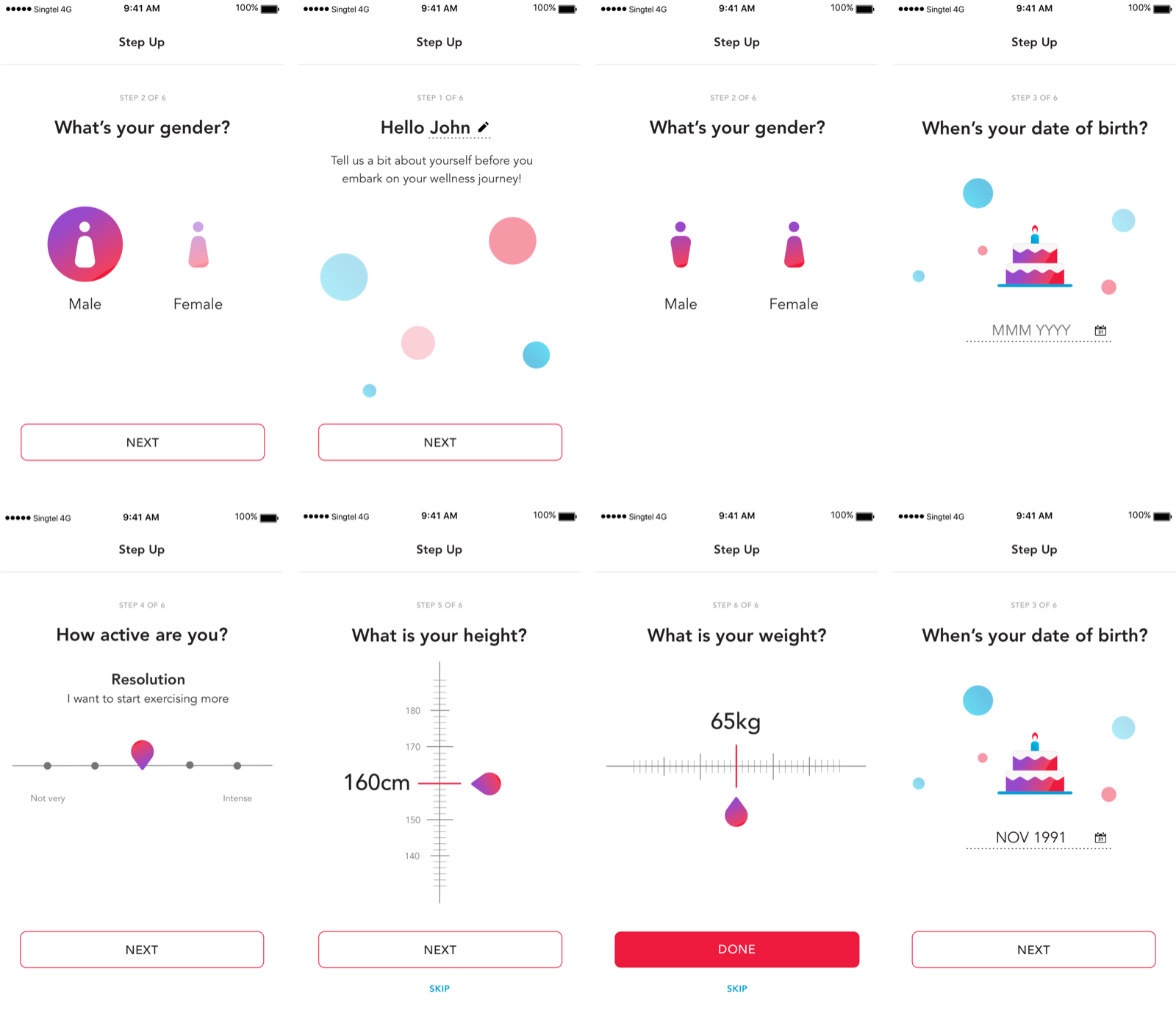
The design objectives for sign-up were clear: enhance the process using illustrations and interaction, minimise visual clutter to reduce cognitive load, and let users enter data without feeling like it's a form. We tested three concepts to find the right balance.

  • AConcept 1: Cute and Playful. Engaging but felt out of place within the MySingtel brand identity.
  • BConcept 2: Brand and Graphics. Leveraged brand and graphics more, but was too heavy. It distracted from the data collection task.
  • CConcept 3: Task Focused. Less illustrative and more task-focused. Selected because it fit the brand the best. We wanted users to focus on the task instead of the visuals.
Learning I also created a prototype of an interactive weight scale in HTML and tested it with 5 users on CodePen. My initial hypothesis was that the interaction would make onboarding more engaging. However, the slider mechanics turned out to be inaccurate and created more friction. A simple text field was enough to create a good experience. Interactions should serve a purpose, not be decorative.
Sign-up concept 1, cute and playful approach
Fig. 06 · Concept 1, Cute & Playful
Sign-up concept 2, brand and graphics focused
Fig. 07 · Concept 2, Brand & Graphics
Sign-up concept 3, task focused, selected approach
Fig. 08 · Concept 3, Task Focused (selected)
Feature 03 · Onboarding Flow

Six steps to done.

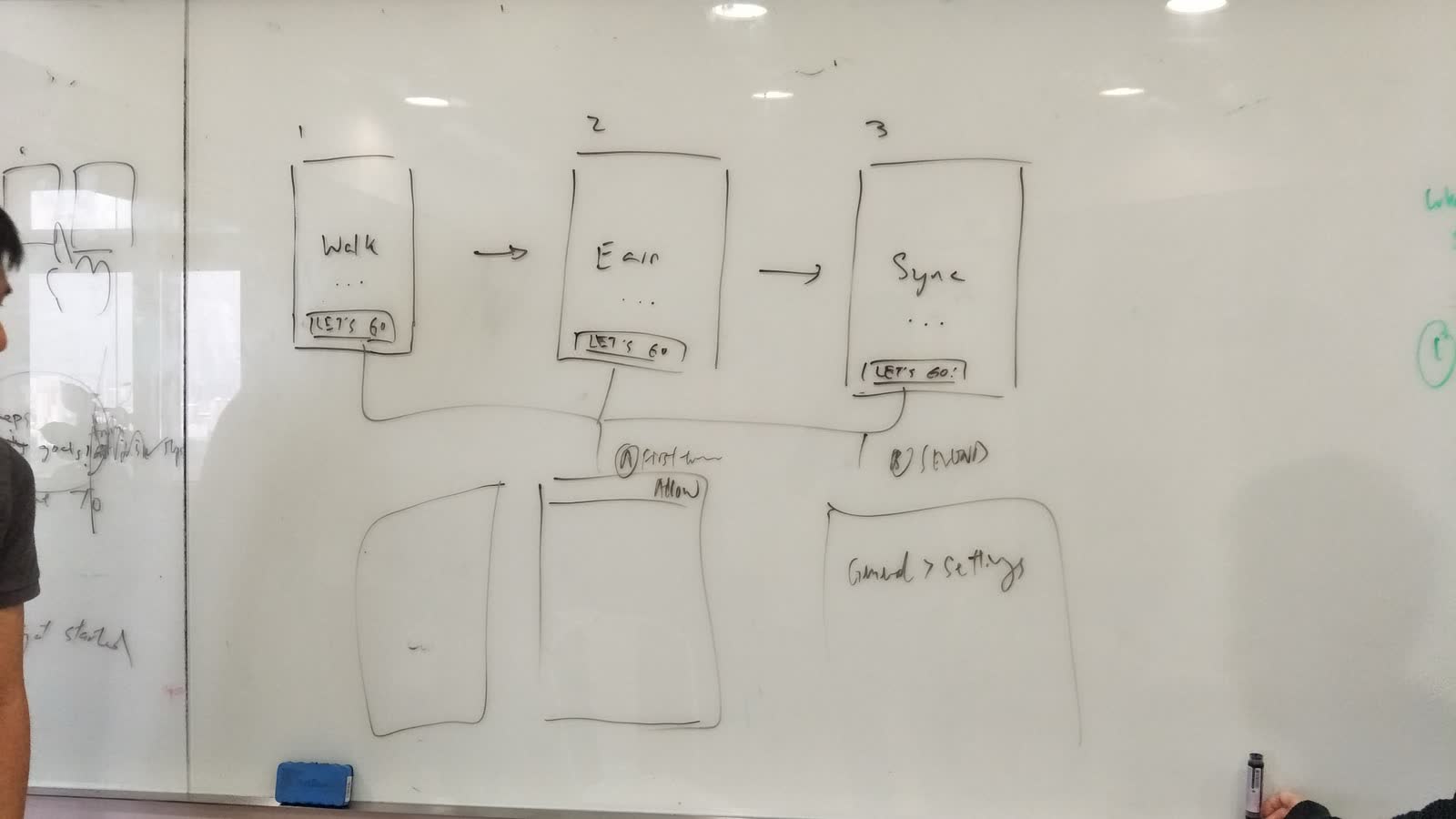
The onboarding flow consisted of six stages: entry point, registration, animated dashboard, notification, ticket feature introduction, and redemption. I suggested creating a limited-time onboarding prize of 1GB of data to motivate user sign-ups and introduce the redemption flow during onboarding. Without this, users may not know how to redeem their points until after completing milestones.

  • AEntry point. Needed to draw people in and communicate our value proposition to the users. Show the benefits of taking part in this activity while fitting the visual design of the MSTA.
  • BImmediate reward. Users were given a voucher upon completion of the onboarding flow, which allowed them to redeem their points. This taught them the claim flow without needing to complete milestones first.
  • CAnimated dashboard. Step count and progress animated in real time, creating a positive feedback loop that kept users engaged.
  • DProgressive introduction. Features introduced one at a time. No screens with five new concepts at once.
Impact 97% onboarding completion rate. Users understood the full reward system by the time they finished, because they had already used it.
Complete StepUp onboarding flow showing six stages
Fig. 09 · Six-step onboarding flow
Feature 04 · Redemption & Feedback

Actions that teach.

We built the redemption flow as part of the onboarding so that users could immediately understand how the redemption works upon the first visit on the app. Using these techniques, we were able to educate the users about the app in one go.

  • AAnimation as education. Using animation to educate, create positive feedback loops, and adapt to the state of the interface. Transitions and micro-animations showed users what was happening without text walls.
  • BProgress clarity. Notifications, vouchers, and loading buttons helped create clarity in the progress. Every action gave immediate feedback.
  • CVisual gratification. Creating gratification in the app through visual design. The reward moment was designed to feel as good as the walking itself.
Reflection Three takeaways. Breaking down tasks into bite-sized pieces and providing appropriate rewards along the way kept users engaged and motivated. Using actions to teach users, rather than relying on text, made the onboarding experience more intuitive and user-friendly. Interactions should serve a purpose and not just be decorative. Even if something is visually interesting, it should not hinder users from completing their journey.
Fig. 10 · Redemption flow, embedded into onboarding
Design techniques used for feedback loops and visual gratification
Fig. 11 · Animation, notifications, and visual gratification techniques
— 30 —
StepUp
Designed by Design Director, Product Director, Issac Ting (UX)
Singtel & AIA · 2019
By understanding our users' motivations and designing for their emotional journey, we created a frictionless onboarding experience that exceeded expectations. We successfully onboarded over 250,000 users within three months, surpassing our initial goals.
End of case study