Design Ops · GovTech · 2024

CC4 180 Days.

Key achievements in last 180 Days across Design Strategy, Design Research, Design Ops, and User Research on the CC4 platform for Workforce Singapore and GovTech.

Designer Issac Ting
Role Lead UX Designer
Client WSG × GovTech
Duration 180 days
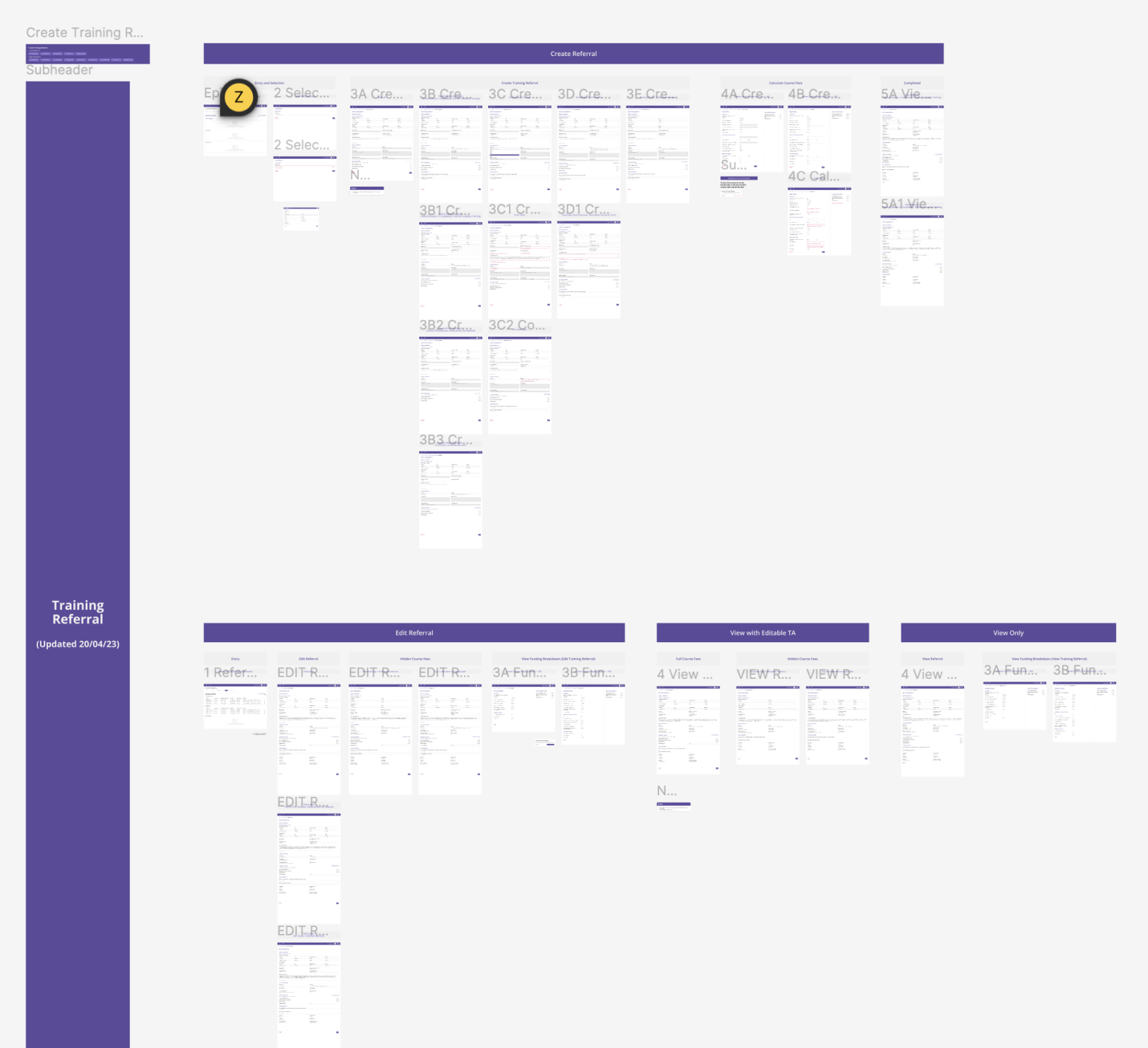
CC4 platform screens overview
Fig. 01 · CC4.0, design operations across 180 days WSG × GovTech
The Brief
01

Key achievements in last 180 Days.

Planned and executed a 90-day Design roadmap to kickstart improving the overall Design Operations and Research Process, which successfully led to the buy-in of new research methodologies, design workflows and developing a more robust research methodology.

Conceive, plan and implement UX strategies to help improve the customer's experience through refining interaction patterns, improving navigation and streamlining user flow.
90-day
Design roadmap that led to buy-in of new research methodologies and workflows
2 months
Referral module + Course Fee Calculator redesign delivered
A/B
Testing introduced alongside unmoderated usability testing
1 wiki
Research repository created for the Referral Module
Design Ops
02

Design Ops.

Accelerated Design Execution by organizing and restructuring workflow, allowing working files to be scalable and easier to manage in the long term. Developed and published a community-approved Figma Plugin. Defined 3 reusable design patterns, 7 components and refined existing Design Library to improve the usability of the designs.

Plugin 01 · Create-sprint

Create sprint plugin.

I created a simple plugin that allowed us to create and name pages based on our naming convention. I was trying to solve the problem where we forget to name our pages and follow the previous naming convention.

The task itself was not complicated but it helped to reduce the cognitive load needed to create each new frame.
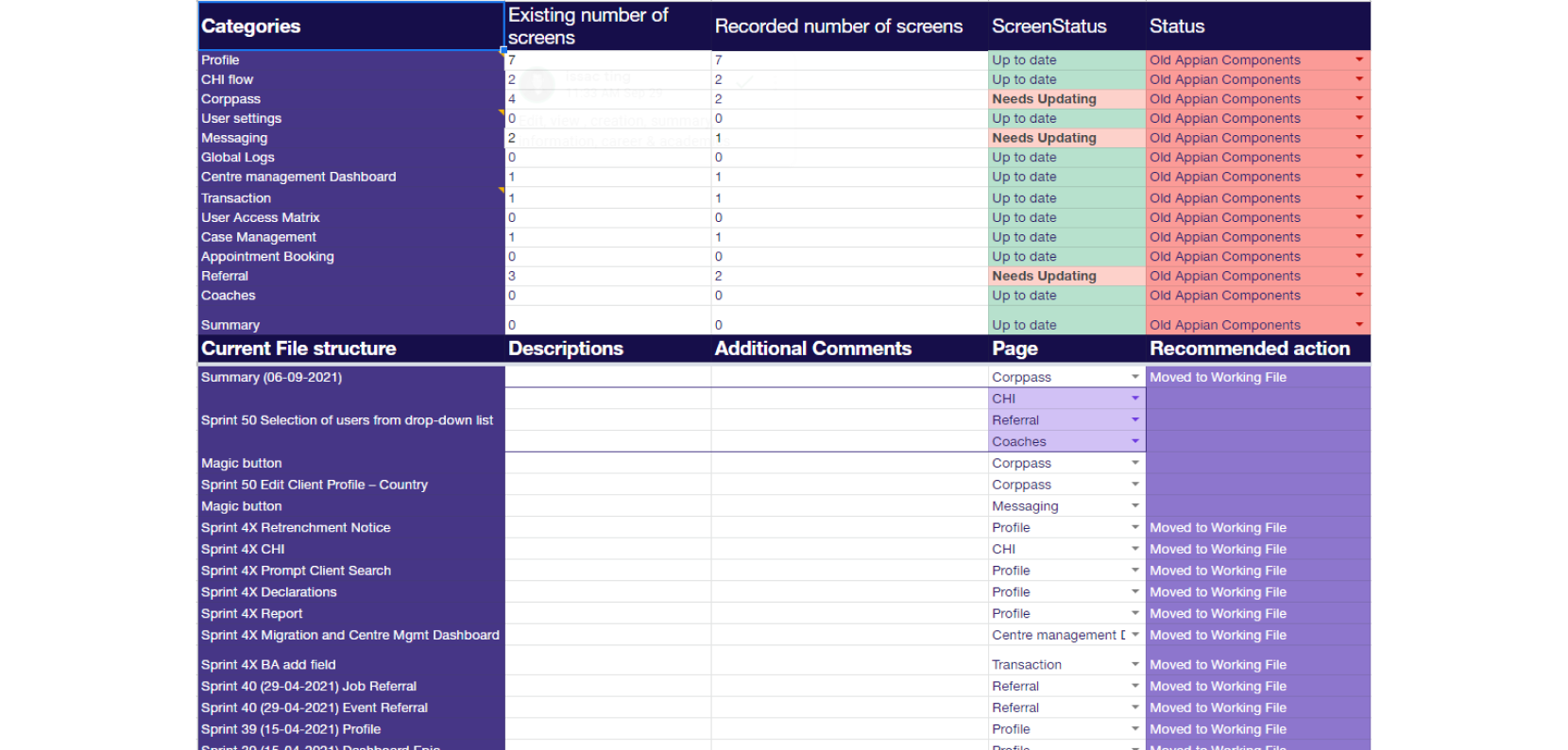
Figma file status and screen audit tracker
Plugin 02 · MARKER

MARKER plugin.

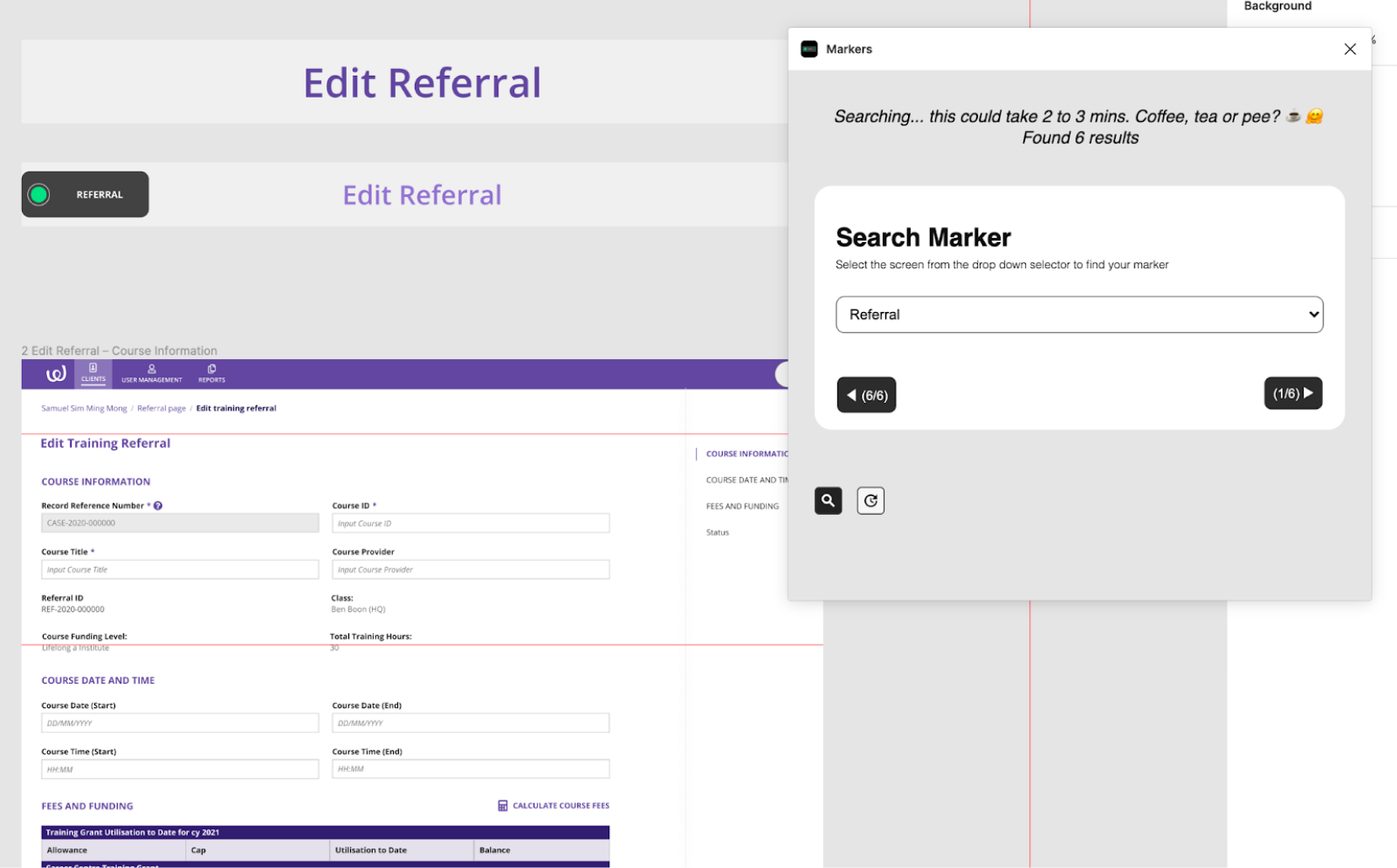
Developed and published a community-approved Figma Plugin to allow for easier file management. Markers have 3 features:

  • AAllows you to search for the markers that you have placed throughout your Figma file.
  • BAllows you to update all the green markers of a category to red to flag changes needed for a screen.
  • CCreate a Dashboard to show which page contains what markers.
MARKER plugin searching for page markers in Figma
Workflow · Design System

Working file + main branch.

Breaking apart the design file allowed us to have better categorization for the work that we were doing.

By splitting the design files to Working File and Main branch, we explored ways of having an audited version of the files that is organized by features while still having a more fluid, sprint base file which is organized by time.

Library The Main Branch acts as a single source of truth to prevent confusion through the iterations while the Working File provides the flexibility required during the design process.
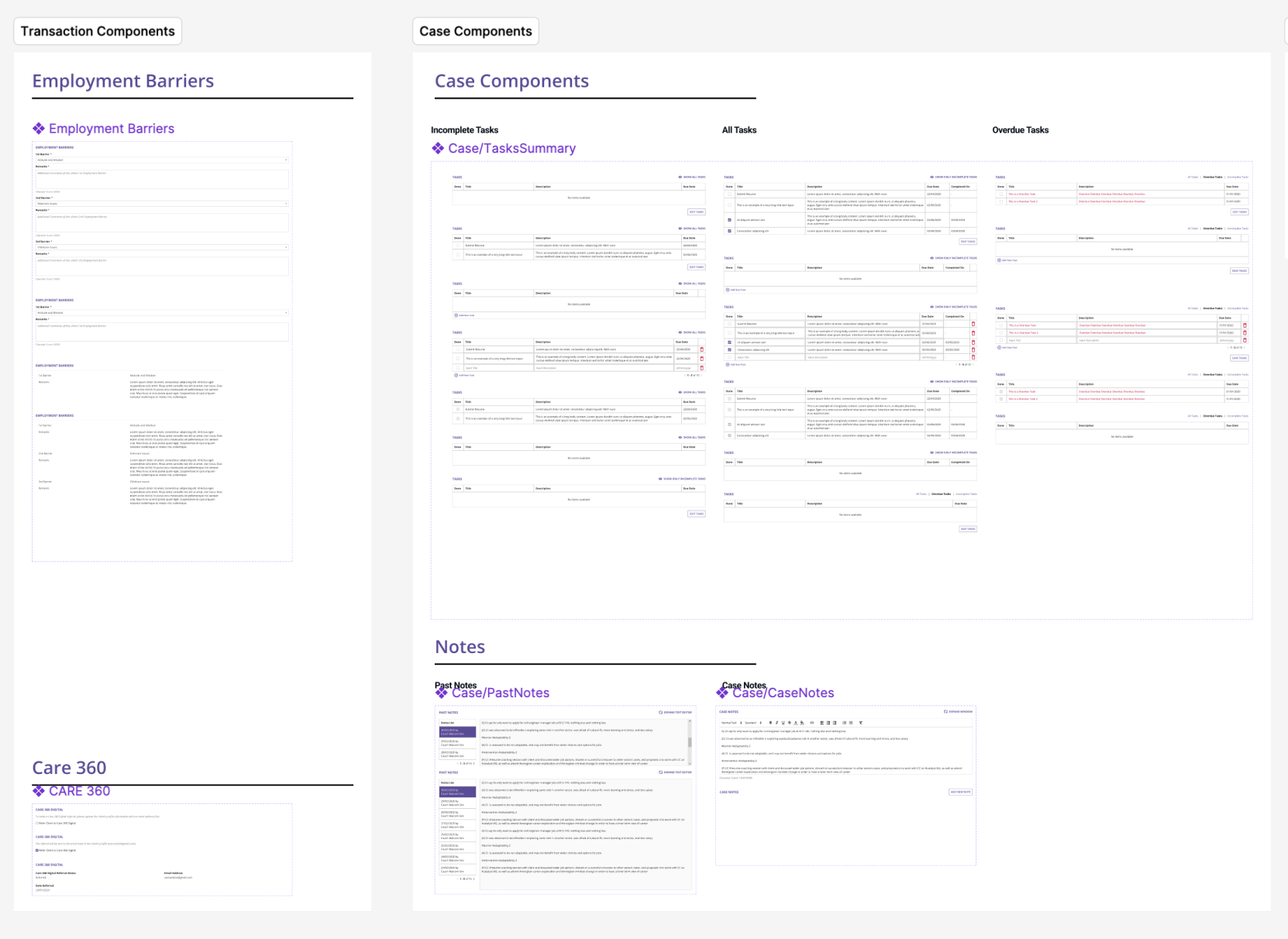
Design system components showing transaction and case components

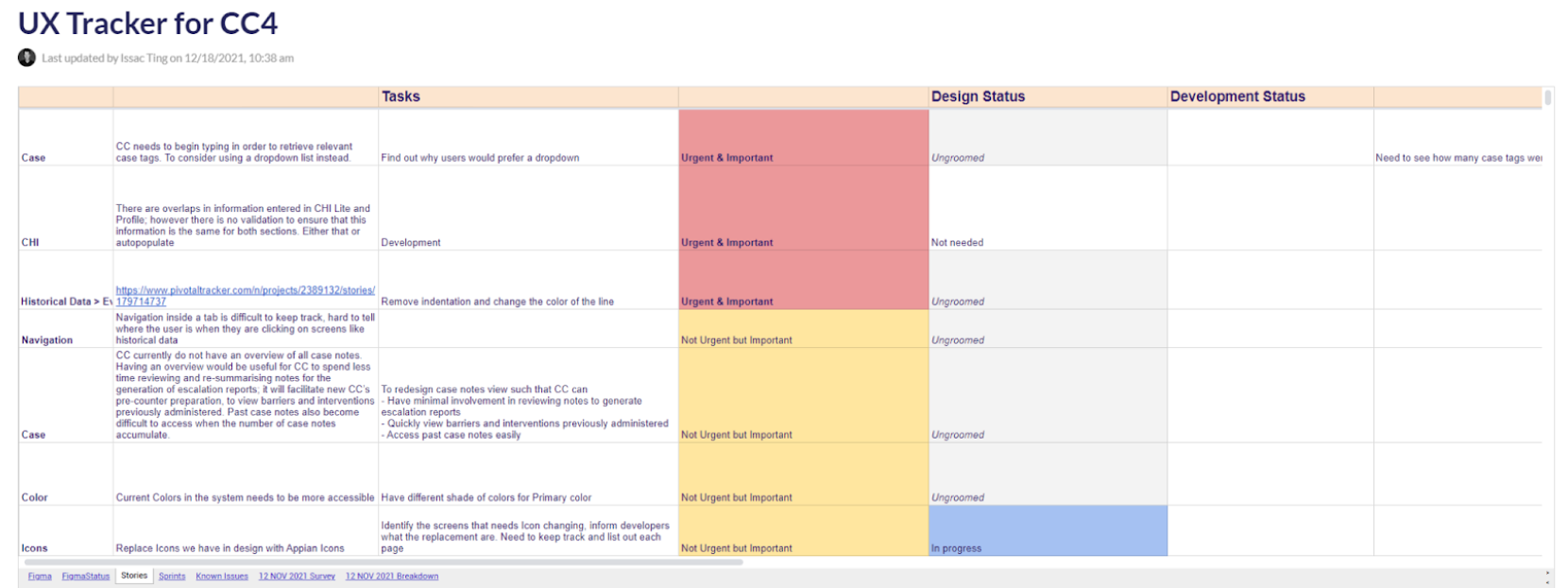
UX tracker

Audited and listed down all the known usability issues on the platform. Sorted it base on priority. Included feedback from users. Audited it against the DSS.

UX Tracker for CC4 showing tasks, design status, and development status
Fig. 02 · UX tracker: usability issues audited by priority

Figma file status tracker

Used to keep track of figma files that needs to be updated. This system is replaced later to a 2 file system where we have files by the Sprints and then a Main Flow folder which collates all the most recent files. This was also superseded with the development of Markers plugin.

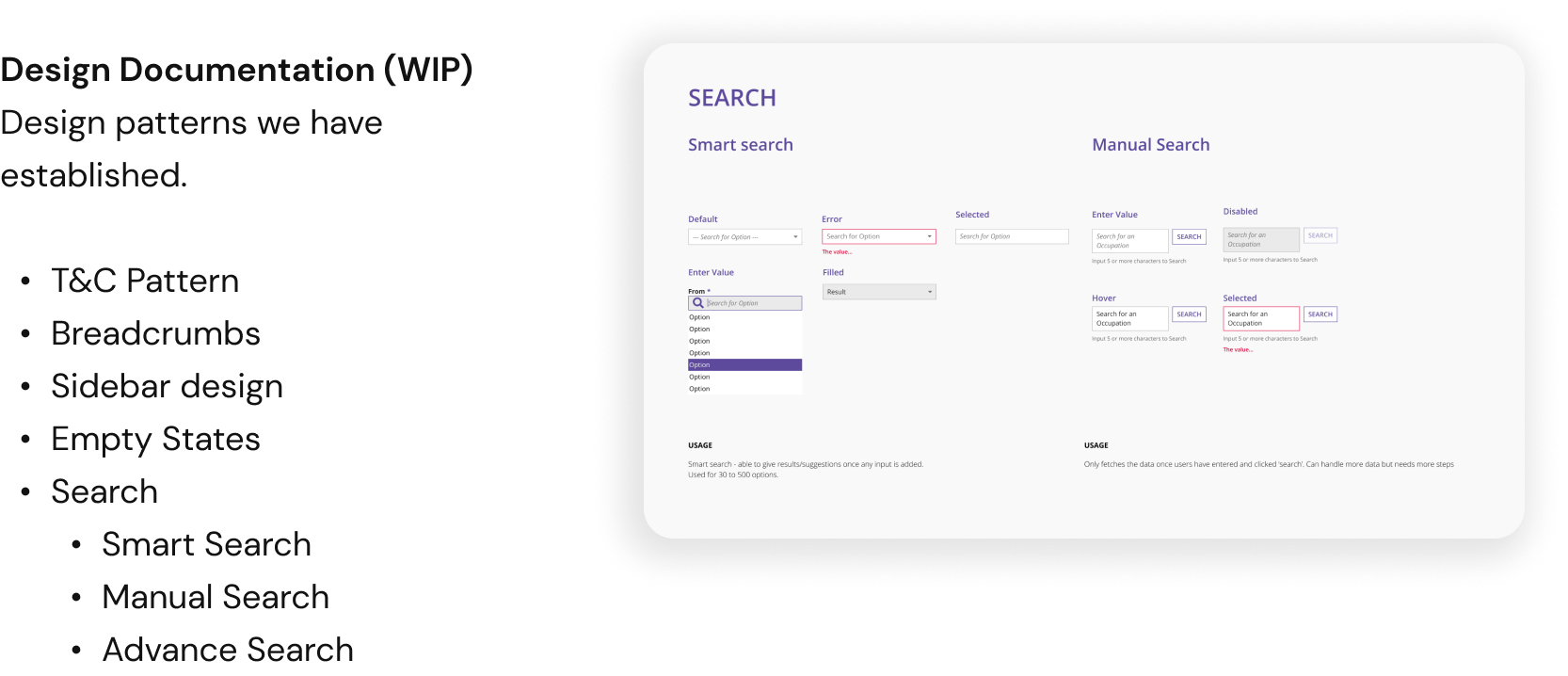
Design Documentation (WIP)

Design patterns we have established: T&C Pattern, Breadcrumbs, Sidebar design, Empty States, Search (Smart Search, Manual Search, Advance Search).

By reorganizing the components, we had much clearer understanding of what components we can use.
Design Documentation showing established patterns including T&C, Breadcrumbs, Sidebar, Search
Fig. 03 · Design Documentation (WIP): patterns catalogue
User Research
03

User Research.

Introduced A/B testing and Unmoderated Usability Testing to the team and ensuring confidence in the design outcome using a mixed-method research approach.

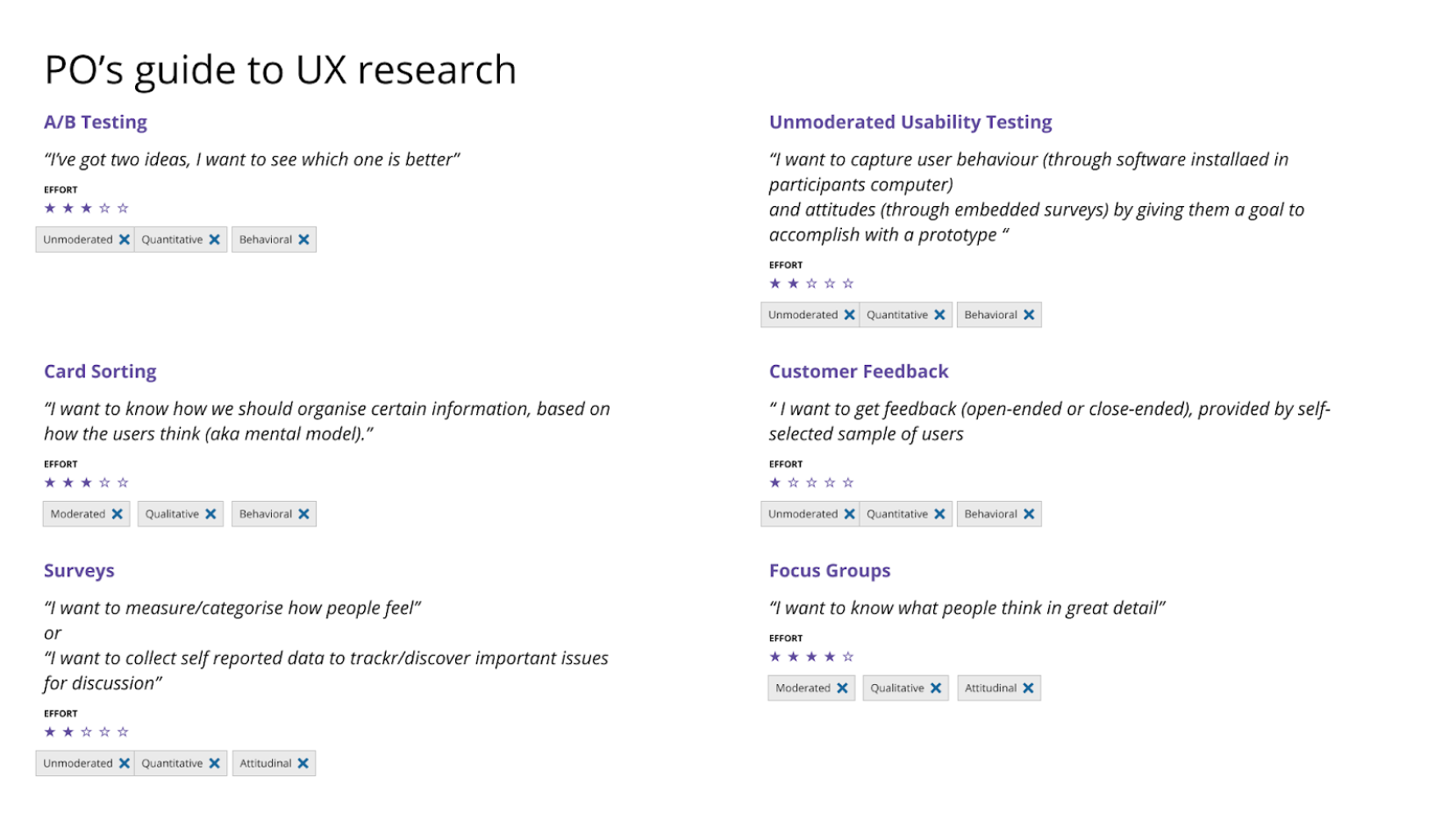
UXPO Cheat sheet

We created a simple way for POs to understand the different kinds of User testing that we wanted to do as well as indicated the effort involved.

PO's guide to UX research covering A/B testing, unmoderated usability testing, card sorting, surveys, and focus groups
Fig. 04 · UXPO Cheat sheet

Unmoderated usability testing

We introduced Unmoderated Usability testing as part of our design research tool kit. This allowed us to conduct A/B testing as well as Usability testing for the Referral Module.

We were able to validate different design ideas through A/B as well as do litmus tests on the new designs on the second iteration to see how well users responded to it.

Research Repository

We created a wiki page for the research work we did for the Referral Module. This is a detailed documentation of our research process, learnings and decisions we made. The document was done with the intent of being detailed enough to give future designers a clear context of the work that was done before but not too detailed that it might be overwhelming to understand.

Userflows
04

Userflows.

I created wireframes and userflows to help align discussions on how the user experience can be improved and worked with devs to translate those screens into code.

Figma userflows for Create Training Referral and Edit Referral
Fig. 05 · Userflows: Create Training Referral and Edit Referral
01
Conduct Moderated Testing For CHI
02
Organize Design Critique with the GreenHouse people
03
Designing Search Patterns across CC4
04
Build up the Design Wiki
05
Creating a UX Dashboard
— 30 —
CC4 180 Days
Designed by Issac Ting
WSG \u00D7 GovTech \u00B7 2024
End of case study